📌 Ollama Review
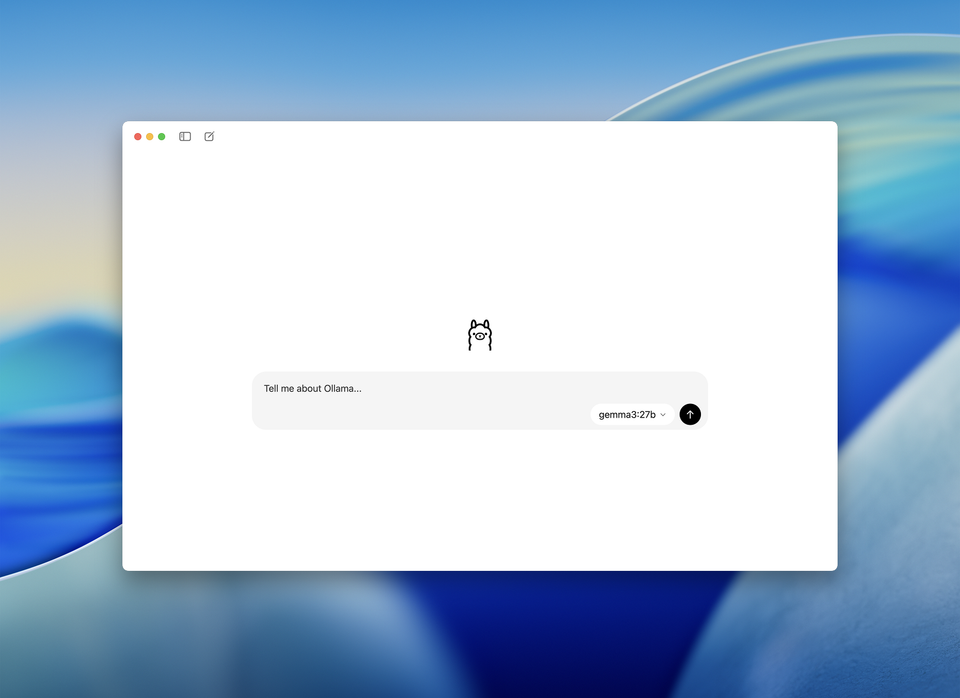
“AI that mostly lives on your machine — privacy first, but with a few twists and trade-offs.”
If you’ve been paying attention to the local AI buzz, you’ve probably seen people mention Ollama a lot. It’s one of those tools that promises big things for privacy-conscious users: run powerful language models on your own computer, keep your data off the internet, and still get smart replies.
Let’s break down what that actually feels like in everyday use — the good, the tricky, and the genuinely useful parts.
🧠 What Ollama Actually Is
In a nutshell:
- Ollama lets you run AI models locally on your own device — Mac, Windows, or Linux — without sending your text to remote servers.
- It’s open-source, which means people can look at the code and try to understand what’s going on under the hood.
- You download the models you want and then interact with them — often through a command-line or, more recently, a graphical app so you’re not always stuck in a terminal.
People liken Ollama to having a mini AI brain in your own house — no cloud required unless you choose to use it.
🔒 Privacy & Control — The Heart of The Matter
If privacy is your #1 priority, Ollama ticks a lot of boxes:
- It runs entirely on your machine (unless you opt into cloud models). That means your prompts and responses stay on your device.
- No data is sent to a third party by default — not for training, not for logging, not for analysis.
- You even get to choose which models you download and run, so there’s no surprise communication with outside servers.
For many privacy-aware folk, that’s the whole point: your data doesn’t go wandering off on its own adventure.
🖥️ Offline & Local — Works Without Internet
Once you’ve downloaded the models you want, Ollama doesn’t need the internet at all. This is a huge plus if you:
- Are often offline,
- Don’t want your questions sent across the web,
- Or just like the idea of your AI living and working completely on your device.
Other cloud services simply can’t compete here if offline usability matters to you.
⚡ Speed & Hardware — The “It Depends” Part
Here’s where reality gets a bit more grounded:
- Running AI models locally is computationally demanding. Users report that things can feel slow or laggy on modest machines.
- If you have a beefy CPU or a dedicated GPU, Ollama will feel much snappier.
- On lighter hardware, especially laptops without discrete graphics, things can be sluggish compared to cloud AI tools.
That means: privacy comes with a price tag — in computer power, not dollars.
☁️ Cloud Option — Yes, But… Optional
Interestingly, Ollama recently introduced optional cloud models — letting you run bigger, faster models on Ollama’s servers without losing the privacy guarantees (they say they don’t retain your data).
This gives you:
- Larger, more capable AI when your local hardware can’t handle it,
- Faster responses,
- And still no data logging according to their documentation.
But not everyone likes this direction — some long-time users feel Ollama’s adding complexity that feels less local AI-only than before.
🗣️ What Real People Are Saying
From community chatter:
🟢 “Having the AI run locally gives me peace of mind — it’s genuinely private.” — common refrain among privacy enthusiasts.
🟢 “The new Windows GUI finally feels less intimidating than the terminal.” — people who aren’t command-line fans appreciate this new interface.
🔴 “Managing models and hardware requirements can be frustrating.” — some users find setup and performance tricky without tech experience.
⚠️ “Be careful opening your local Ollama server to the internet — that’s when bad actors find it.” — real caution from people with experience running it publicly.
That last one isn’t a knock on the AI itself — it’s just a reminder that any server you expose without protection is asking for trouble.
🧾 Pros & Cons — Plain Talk
👍 Why You Might Love Ollama
- Your data really stays local.
- Works offline after setup.
- You choose and control the models.
- No subscription needed for local models.
- Optional cloud gives power when you need it.
👎 What Might Frustrate You
- Can be slow or resource-heavy on ordinary laptops.
- Setup might feel like tech hobbyist territory at first.
- Some parts still prefer command-line knowledge.
- Weaker documentation than polished cloud services.
- A few users feel the product direction is getting mixed signals.
🧠 Final Verdict — Who Is Ollama For?
Ollama is a great choice if you:
- Value privacy above everything else.
- Want your AI assistant running on your own machine.
- Enjoy tinkering or customizing how your AI works.
- Don’t want recurring cloud fees for models.
It might not be the one for you if you:
- Want instant, cloud-level performance with zero setup.
- Have limited hardware horsepower.
- Prefer a very polished, turn-key AI service like mainstream cloud assistants.
🚪 Bottom Line
Ollama is one of the most honest and privacy-respecting ways to run AI today. It doesn’t send your thoughts off into someone else’s servers by default, you can work offline, and you keep tight control over your models and data.
But that control brings responsibility — you’re the one who manages your space, your machine, and sometimes your nerves when a model doesn’t run as fast or smooth as the cloud versions you might be used to.
For privacy conscious people who like ownership over convenience, Ollama hits a sweet spot — powerful, private, and yours.