🍎 Apple Silicon Power Users: Have You Met oMLX?
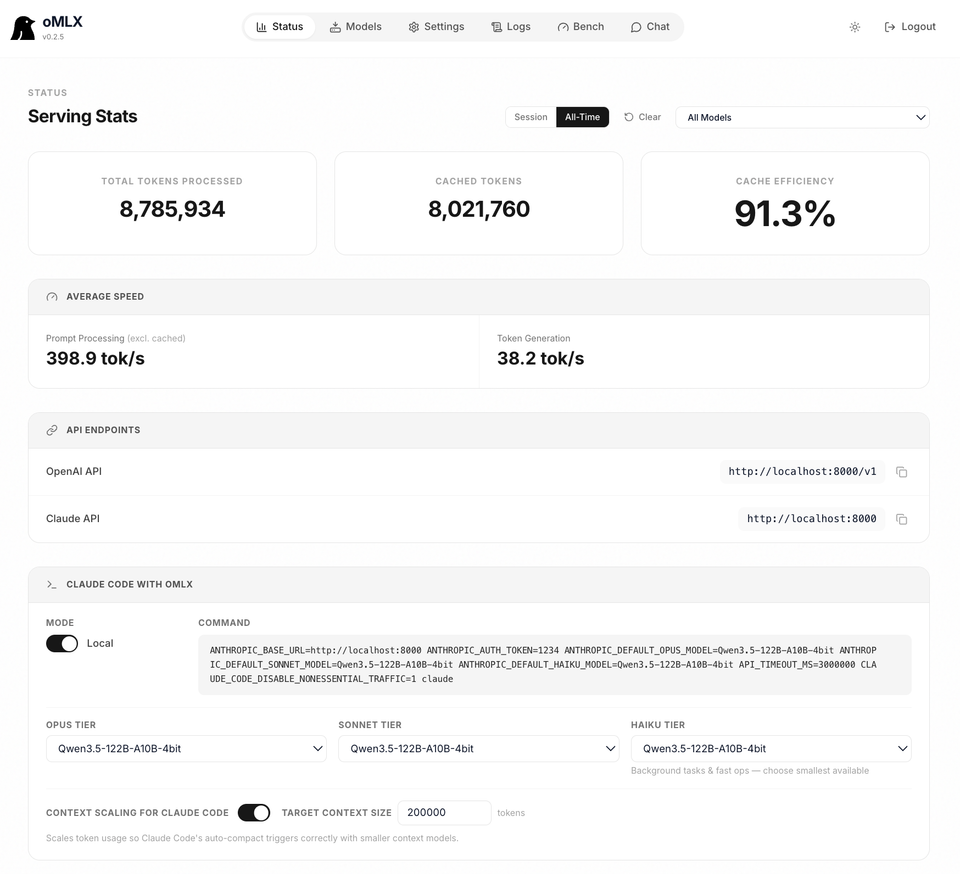
If you’ve ever used a local LLM for coding or analyzing long documents on a Mac, you know the pain of the Prefill Wait. You paste a huge chunk of code, ask one question, and wait... and wait... only for the AI to answer. Then you ask a follow-up, and you have to wait all over again.
This is because most local runners recompute the entire context (the KV Cache) every time you hit enter. It's an absolute productivity killer.
Enter oMLX. 🛡️
We’ve been tracking the chatter in r/LocalLLM and the project's GitHub, and it turns out oMLX is basically a "Turbo" button for your Mac's AI inference. Here is what it actually does (and doesn't do).
⚡ The Secret: Tiered KV Caching
Most people think "SSD caching" means loading a huge model from disk. It doesn't. oMLX caches the results of the computation, not the model itself.
It uses a two-tier architecture for your conversation memory (the KV Cache):
- Hot Tier (RAM): The most recent parts of your chat stay in memory for instant access.
- Cold Tier (SSD): When your RAM fills up, oMLX offloads the processed context blocks to your SSD in
safetensorsformat.
Why this is a game-changer: If you are using an agentic tool (like Claude Code or Cursor) that hammers the same long codebase repeatedly, oMLX restores those blocks from your SSD instead of recomputing them. Your "Time to First Token" (TTFT) plummets, making local AI actually feel like a real-time conversation rather than a slow batch process.
🛠️ The "Pro" Toolkit: Continuous Batching & Paging
For the nerds in the room, oMLX brings enterprise-grade features to your MacBook:
- Paged Prefix Sharing: Inspired by vLLM, this allows multiple requests to share the same processed context blocks.
- Continuous Batching: It handles concurrent requests more efficiently, so you aren't stuck in a queue behind one long response.
- Menu Bar Control: Unlike most MLX tools that force you into a terminal, oMLX lives in your macOS menu bar with a full web dashboard for monitoring and model management.
🧠 "But I actually want to run BIGGER models!"
oMLX optimizes speed and context, not the memory footprint of the model weights. If you have a 16GB Mac and want to run a massive MoE (Mixture of Experts) model without it turning into gibberish, you need JANG.
JANG uses "Adaptive N-bit Grading" to compress the less-important parts of a model more aggressively than the critical parts. When you combine JANG (to fit the big model in RAM) with oMLX (to make that model respond instantly), you essentially turn your Mac into a professional AI workstation.
🏁 Verdict: Is oMLX for you?
If you just chat with a small bot once every hour, you don't need this. But if you are an engineer or researcher using local LLMs as actual tools in your workflow, it’s a no-brainer.
Grab oMLX if:
- You use "Agentic" workflows (coding assistants, long-context analysis).
- You are tired of waiting 30+ seconds for the AI to "think" before every response.
- You want an OpenAI/Anthropic compatible API that just works on Apple Silicon.
It is not for you if:
- You don't use long contexts or repetitive prompts.
- You don't use a Mac
- You are perfectly happy with the standard
mlx-lmterminal experience.
🧠 Bottom Line
Privacy is great, but privacy that’s too slow to be useful is just a hobby. oMLX makes local AI practical. It removes the friction of the "prefill wait," proving that you don't have to sacrifice your data to Big Tech just to get an AI that responds in under five seconds. ✌️