🤏 JANG: The "Cheat Code" for Running Massive Models on Mac
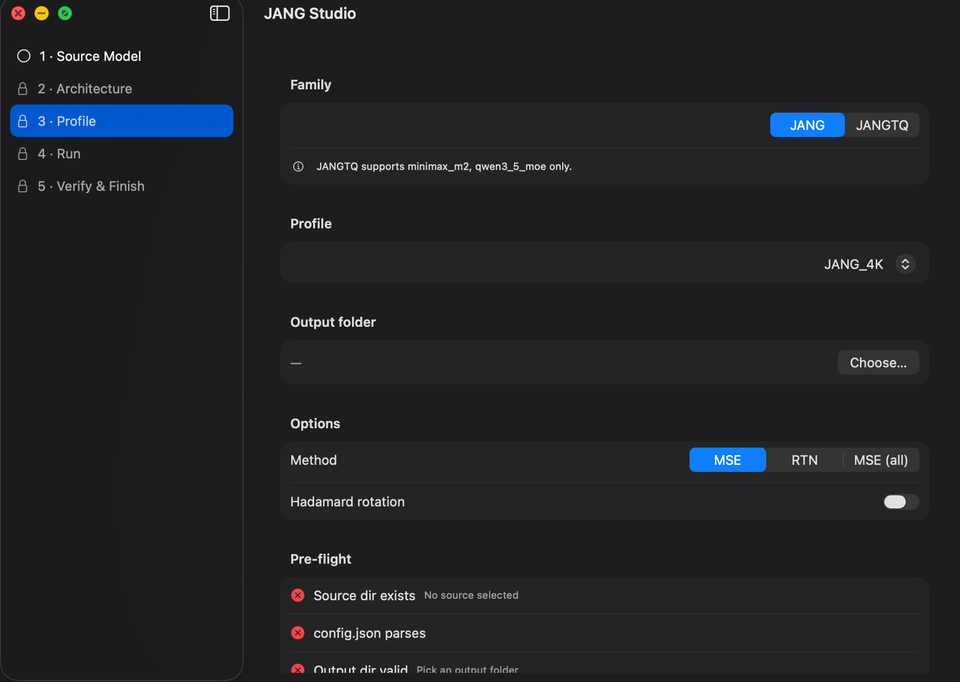
Let's talk about the most frustrating part of local AI: The Quantization Wall.
You’ve probably seen models labeled as "4-bit," "8-bit," or "FP16." For the non-nerds, quantization is just a way of compressing a model so it fits in your RAM. The problem? Standard compression (like what you find in most MLX or GGUF models) is uniform. It crushes every single part of the model with the same hammer.
The result: if you compress too much to fit a huge model into your Mac, the AI doesn't just get "a bit dumber"—it completely breaks. It starts hallucinating, outputting gibberish, or just giving you NaN errors.
JANG (Jang Adaptive N-bit Grading) is the fix for this. And if you’re on Apple Silicon, it’s basically a cheat code for your hardware. 🛡️
🧠 The Big Idea: Not All Brain Cells Are Equal
Created by Jinho Jang, the core insight of JANG is deceptively simple: some parts of an AI model are more important than others.
In a transformer model (the tech behind LLMs), you have different layers. Some handle the "logic" and "coherence" (Attention layers), while others hold the bulk of the knowledge (MLP/Expert layers).
Standard quantization treats them all the same. JANG doesn't. It uses Mixed-Precision Quantization:
- The Critical Parts: Attention layers get more bits (e.g., 6–8 bits) to keep the model coherent and logical.
- The Bulk: MLP/Expert layers are crushed harder (e.g., 2–4 bits) because they can handle aggressive compression without breaking.
🚀 Why This Actually Matters (The "MiniMax" Example)
To see why this is a big deal, look at the MiniMax M2.5 model (a massive 230B parameter beast).
According to benchmarks:
- Standard MLX 4-bit: The model completely breaks. It scores ~26% on MMLU—which is essentially random guessing. It's a useless pile of weights.
- JANG Quantization: By protecting the attention layers and compressing the experts, JANG allows this giant to actually work. It jumps to 74%+ on MMLU, even at lower average bit-widths.
In plain English: JANG lets you run models that were previously "impossible" on Apple Silicon while keeping them actually intelligent.
🛠️ How Do You Actually Use It?
JANG isn't a standalone app; it's a format and a toolkit. Because it’s so specialized, not every AI app supports it yet (Ollama and LM Studio are still catching up).
If you want to try it today:
- MLX Studio or oMLX: These are the native apps that currently support JANG models.
- Python/pip: If you're a coder, you can use
pip install "jang[mlx]"and thejang-toolspackage to load these models directly into your scripts. - HuggingFace: Look for models with
JANGin the name (e.g.,MiniMax-M2.5-JANG_2L).
🏁 Verdict: The GGUF of MLX?
For a long time, the Mac community relied on GGUF (via llama.cpp). But JANG is effectively becoming the "GGUF equivalent for MLX." It gives you that same level of flexibility—fitting huge models into limited RAM—but it does so while staying native to Apple's own MLX framework for maximum speed.
You should look into JANG if:
- You have a high-spec Mac (M-Ultra or M-Max) and want to push the absolute limits of what you can run.
- You are tired of "uniform" quantization breaking your favorite large models.
- You want to run MoE (Mixture of Experts) giants without them turning into random-number generators.
🧠 Bottom Line
JANG is a reminder that software optimization can be just as powerful as buying more hardware. By being "smart" about where bits are saved and where they are kept, JANG unlocks a tier of AI capability that should have required a server rack, but now fits on your desk.
Combine JANG (to fit the model) with oMLX (to make it fast), and you've officially built a local AI powerhouse that would make most cloud providers nervous. ✌️