🎨 MLX Studio: The Power-User’s Playground for Mac AI
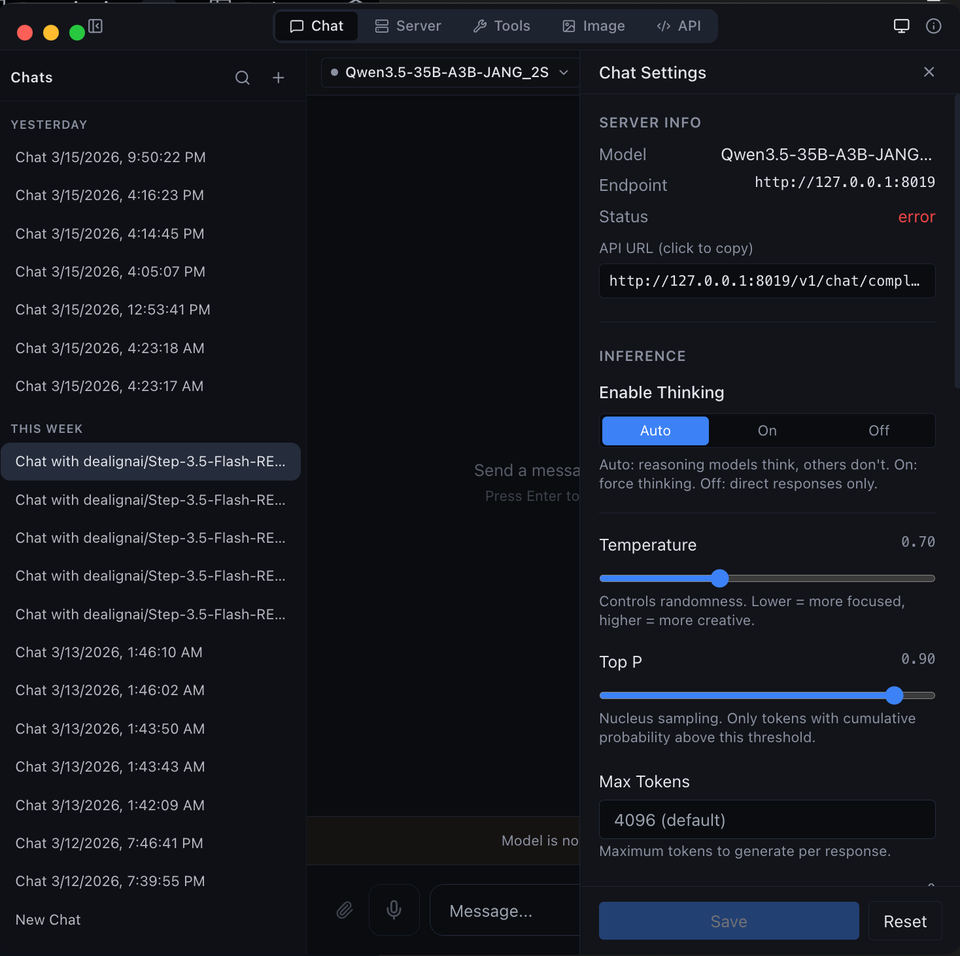
If you've been reading our recent deep dives into on-device AI bots, you’ve probably noticed a recurring problem: where do you actually run this stuff?
Most of us start with Ollama or LM Studio. They are great, they are polished, and they "just work." But for the privacy-obsessed power user—the person who wants to run mixed-precision JANG models or fine-tune their setup for maximum Metal performance—those apps can feel a bit like training wheels.
Enter MLX Studio. 🛡️
It’s not just another chat interface; it’s essentially a command center for everything happening in the Apple Silicon AI ecosystem. We’ve looked into the specs and the community feedback, and here is the real talk on whether you should switch.
🛠️ What Exactly is MLX Studio?
MLX Studio is a native macOS application designed to be the primary interface for the MLX framework. While other apps "wrap" LLMs in their own way, MLX Studio is built from the ground up to leverage Apple's Metal GPU and Neural Engine.
The biggest draw? It is currently one of only two apps that natively supports JANG quantization. If you want to run those massive, mixed-precision models without writing a dozen lines of Python code, this is your only real option.
🌟 The Strengths (Why it Rocks)
1. No "Electron Bloat" 🚀
Unlike many modern apps that are basically just websites in a fancy box (Electron), MLX Studio is native. This means it doesn't eat your RAM for breakfast and responds with the snappiness you expect from a Mac app.
2. The JANG Integration 💎
As we discussed in our JANG review, mixed-precision quantization is the only way to run certain "giant" models (like MiniMax) on consumer Macs. MLX Studio handles these flawlessly, allowing you to load and chat with models that would simply crash other runners.
3. The Conversion Wizard (JANG Studio) 🧙♂️
One of the coolest parts of the ecosystem is the ability to convert your own models. Instead of praying someone on HuggingFace has already quantized a model for you, MLX Studio (via JANG Studio) provides a wizard that lets you:
- Pick a model from HuggingFace.
- Choose a quantization profile (e.g., JANG_4K).
- Run an "audit" to make sure the model isn't broken before you spend an hour downloading it.
4. Deep Observability 📊
It doesn't just give you a chat box; it gives you real-time metrics on tokens per second, peak RAM usage, and GPU load. If you’re trying to optimize your system, this data is gold.
⚠️ The Weaknesses (The Catch)
1. Not for the "Casual" User 📉
If you just want to ask an AI to write a poem about your cat, stick with Ollama. MLX Studio assumes you know what a "quantization profile" is and that you're comfortable with concepts like "bit-widths." The learning curve is steeper.
2. Ecosystem Lock-in 🔒
It’s built specifically for the MLX format. While MLX is becoming the standard for Mac, it means you can't just drop a random .gguf file in there and expect it to work without conversion.
3. Polishing vs. Power ✨
While it's a great tool, it feels more like a "developer’s workbench" than a consumer product. It lacks some of the "quality of life" features (like built-in RAG or fancy prompt libraries) that you find in more commercial wrappers.
🏁 Verdict: Who is MLX Studio For?
MLX Studio is for the person who has moved past "just chatting" and now wants to engineer their local AI experience.
You should install it if:
- You want to run JANG models (Mixed-Precision).
- You are tired of Electron apps lagging your system.
- You want to convert your own models from HuggingFace using a GUI.
- You care about seeing the actual telemetry of how your Mac is handling the load.
Stick to Ollama/LM Studio if:
- You just want a "one-click" install and chat experience.
- You mainly use GGUF models.
- Technical jargon like "tensors" and "mixed-precision" gives you a headache.
🧠 Bottom Line
MLX Studio is the bridge between "using an AI app" and "running an AI lab." It strips away the abstraction layers and puts the raw power of Apple Silicon directly in your hands.
Want to build the ultimate private AI setup? Check out the private AI tools page.